Helping Users Move Ideas Forward
ROLE
Product Designer
PROJECT YEAR
2025
TIMELINE
6 weeks
OVERVIEW
Supporting inspiration after the save
Pinterest has always felt like a uniquely uplifting corner of the internet: a place where people envision their futures and manifest the lives they want. I explored how Pinterest could better support users after they save inspiration.
BACKGROUND
Where Dreams Are Collected… but Sometimes Lost
Studying Pinterest’s core flows reminded me of the platform’s magic: how one effortless tap captures a spark of possibility. But beneath that ease, I found myself often struggling to remember why a Pin mattered once it disappeared into a board.
RESEARCH
What happens after the save?
To understand what really happens after someone taps “Save,” I interviewed Pinterest users and observed them walking through their boards. Interviews revealed a consistent pattern: the joy of saving is instant, but the why behind it fades quickly. As their collections grew, people created duplicate boards, took screenshots, or turned to external tools like Google Slides, and Notes.


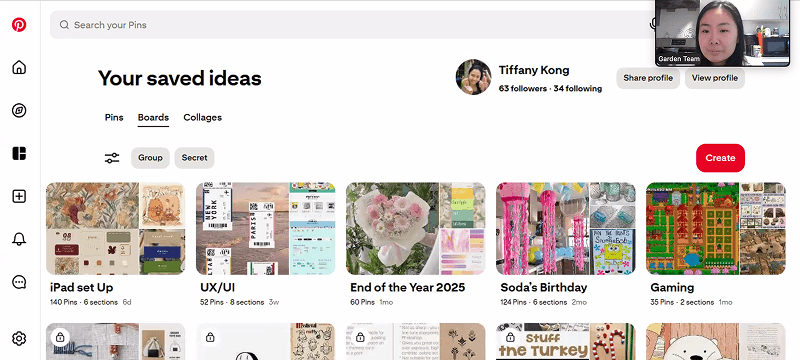
Participants’ boards, reviewed during interviews to understand how they save, organize, and revisit inspiration.
“Sometimes I look at a Pin later and think, ‘What was I planning to do with this?’”
-Alex
“I don’t know why I saved stuff. I basically start over (searching) from scratch.”
-Leslie

Affinity Mapping: user quotes and behaviors revealed how quickly intention fades after the save
How might we help users carry inspiration forward with clarity and confidence without disrupting the joy of saving?
FINAL OUTCOME
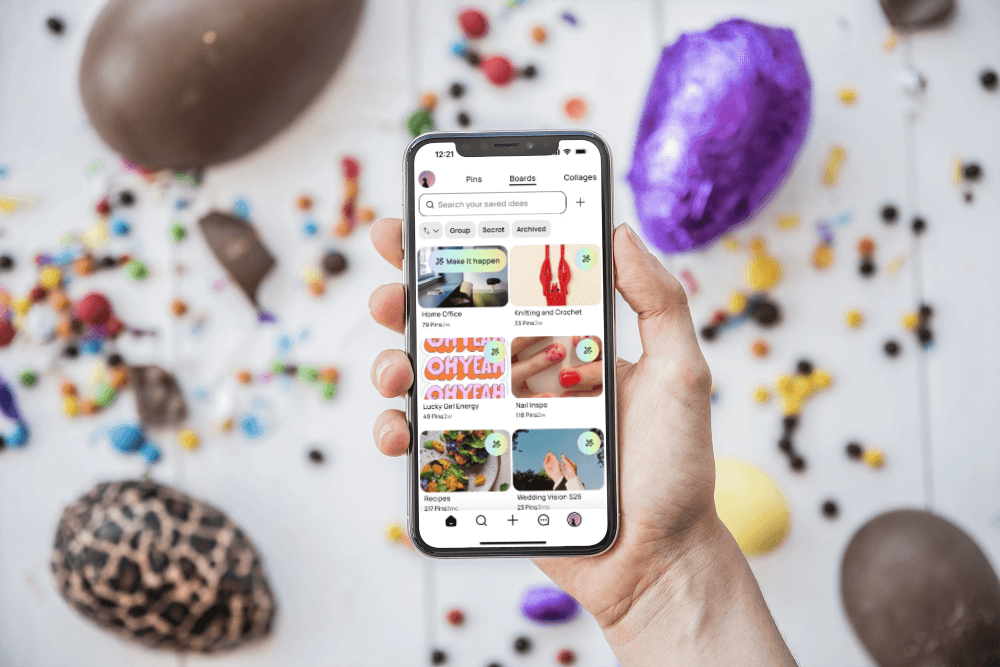
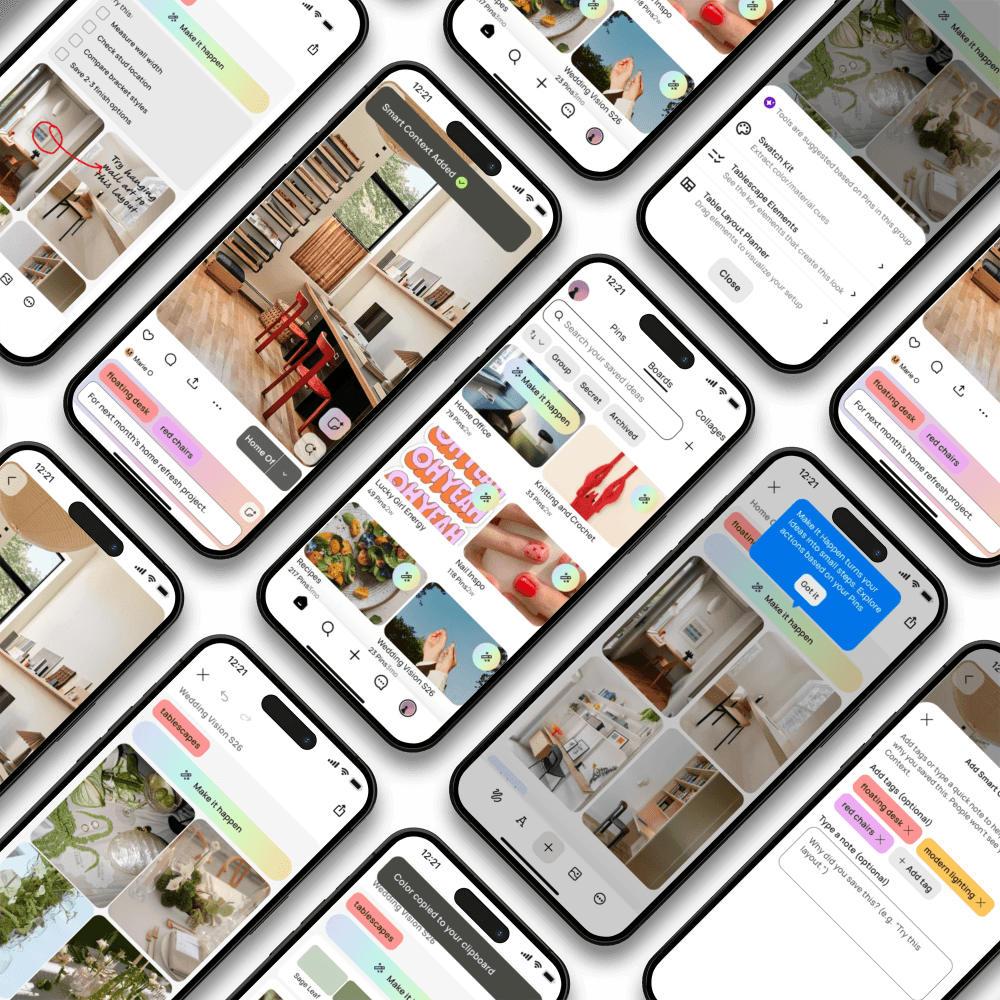
Smart Context with lightweight Smart Tags and personal notes function to support users capture intention at the moment of saving. Make It Happen is a set of flexible board-level actions such as extract color swatch, create check-list, powered by AI, to help users take small steps toward execution.

SMART CONTEXT
This optional feature lets users attach Smart Tags and personal notes to a Pin to preserve why it mattered.
MAKE IT HAPPEN (EXAMPLE 1)
With a first-time walkthrough that explains how to use the feature, Make It Happen introduces lightweight tools like checklists and draw/memo to help users bring ideas into next steps,


MAKE IT HAPPEN (EXAMPLE 2)
Users turn wedding inspiration into a cohesive tablescape by extracting color palettes from Pins to help actualizing their dream wedding.
REFLECTION
Designing within trade-offs
This project challenged me to design within real constraints: abundant content types, diverse user intentions, and the tension between creative freedom and useful structure. Incorporating AI surfaced another critical trade-off. The value wasn’t in automation itself, but in when and how it appeared.